Light
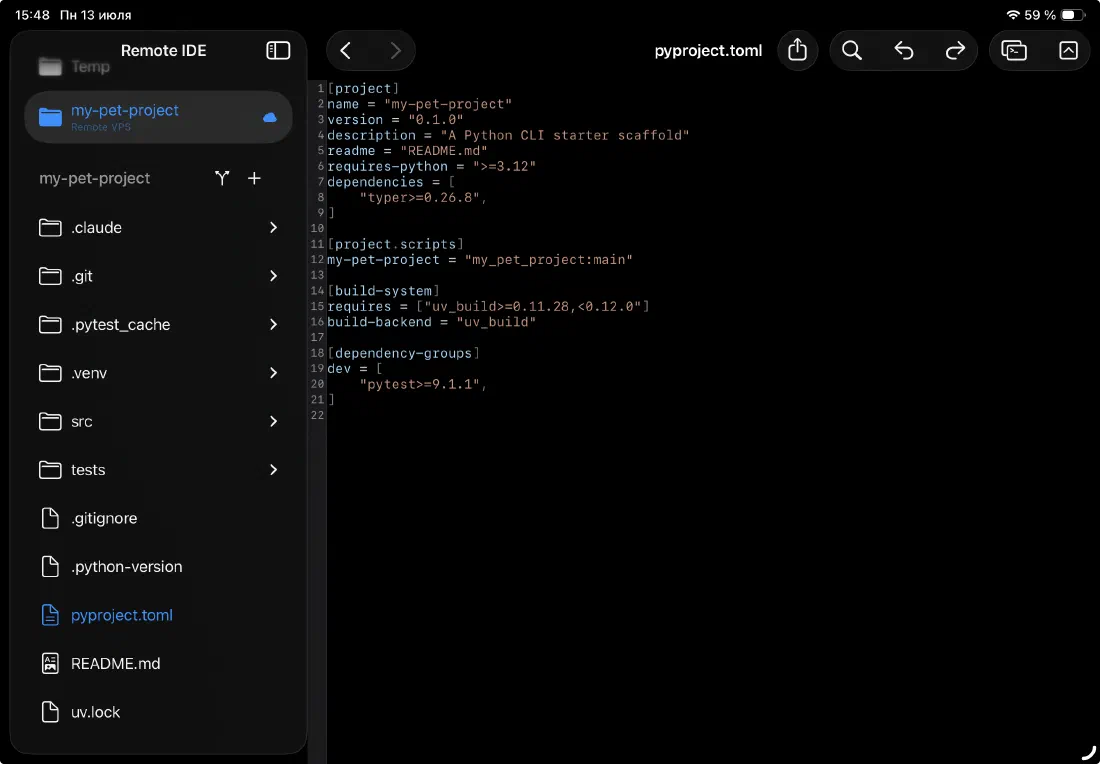
Dark
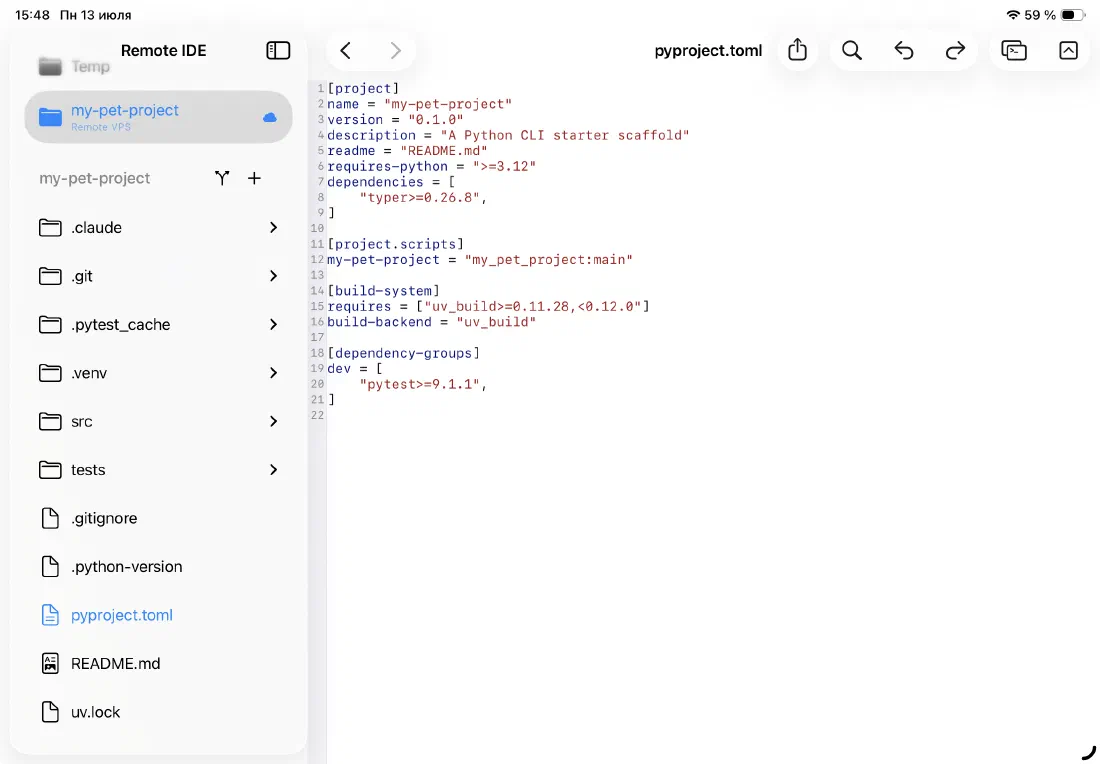
Automatic — no setting required
Remote IDE reads your system appearance and applies the matching theme everywhere: the app chrome, the file sidebar, the editor, and the terminal. Switch iPadOS between light and dark in Control Center — the app follows instantly, mid-session, without restarting.
There is no separate theme picker inside the app. The system setting is the setting.
- Follows iPadOS system appearance
- Updates live when you switch in Control Center
- Consistent across all panels: sidebar, editor, terminal
A syntax theme designed for readability
The editor uses a custom color scheme inspired by Visual Studio Code's default themes — familiar and well-tested across millions of developers. Each token type has a distinct, readable color in both modes. The contrast ratios are calibrated for both the ProMotion display in bright daylight and a dimmed screen at night.
- Dark mode: deep background (#0a0a0f equivalent), muted chrome, vivid syntax colors
- Light mode: white background, crisp syntax colors with sufficient contrast
- Comments in italic green — visually de-emphasized in both modes
- Keywords, types, strings, and functions each have a distinct color
The terminal is always dark
The AI agent terminal window is always forced to dark mode — regardless of your system setting. Terminal output is designed for dark backgrounds, and most developer tools (htop, git diff, CLI color schemes) assume a dark terminal. The agent window respects that convention.
The main editor and sidebar continue to follow the system appearance as normal.
- Agent terminal: always dark
- Main editor + sidebar: follows system
Ready to code on iPad?
Download Remote IDE and connect to your server in under a minute.