A terminal that actually works
The SSH console in Remote IDE is powered by SwiftTerm — a full VT100/xterm terminal emulator. It handles ANSI escape codes, colors, cursor movement, and interactive programs the way a desktop terminal would.
Run htop, vim, tmux, interactive Python sessions, or anything else that expects a real terminal. It all works without workarounds.
- Full ANSI color support (16, 256, and true color)
- Cursor movement and in-place screen updates (htop, vim, etc.)
- Interactive programs: Python REPL, node, psql, and more
- tmux and screen for persistent sessions
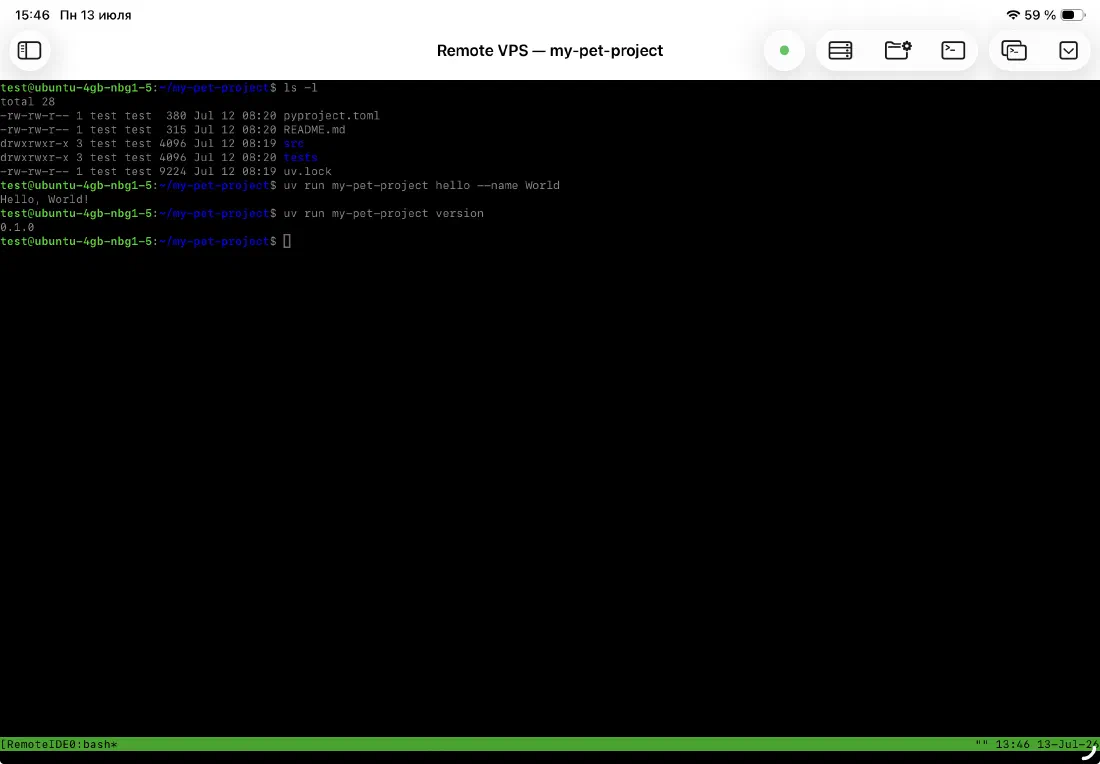
Editor and terminal, side by side
The terminal lives in the same window as the editor, split vertically. You can drag the divider to give more space to whichever panel you're using at the moment. The split ratio is remembered between sessions.
Switch focus between the editor and the terminal without tapping a tab or navigating away. Both are always visible, always live.
- Draggable divider between editor and terminal
- Ratio persists across app launches
- Both panels visible simultaneously on iPad in landscape
Connection management built in
The terminal shows a clear overlay when the SSH connection is disconnected or has errored — with options to reconnect, retry, or cancel. You're never left staring at a blank terminal wondering what happened.
When you switch servers, the terminal reconnects automatically. The connection status indicator in the toolbar shows the current state at all times: gray for disconnected, yellow for connecting, green for connected, red for error.
- Disconnected overlay with reconnect button
- Error overlay with retry and cancel options
- Color-coded connection status in the toolbar
- Automatic reconnect when switching servers
Ready to code on iPad?
Download Remote IDE and connect to your server in under a minute.