Compact mode for smaller windows
When Remote IDE runs in a narrow Split View column or a small Stage Manager window, the sidebar switches to a compact list of projects. Tap a project to navigate into its file tree in a separate screen — the header shows the project name with a back button to return to the project list. Everything still works — just optimized for less horizontal space.
- Automatic compact/regular layout based on available width
- NavigationStack-based navigation in compact mode
- Same create/delete/rename functionality in both layouts
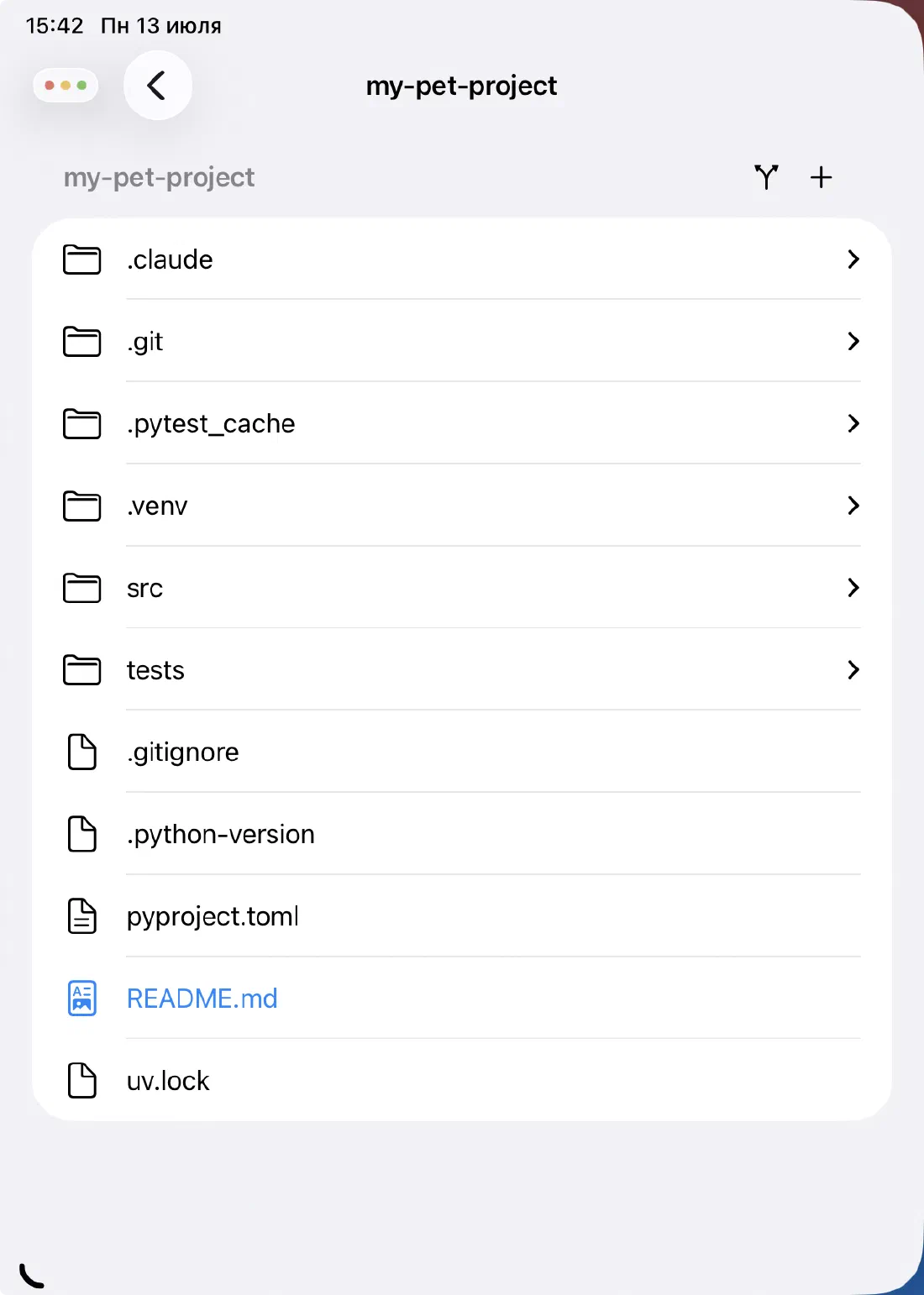
Projects and files in one sidebar
The sidebar shows two levels: your projects at the top, and the file tree of the selected project below. Tap a project to expand its tree. Tap a file to open it in the editor. It's the same navigation model as Xcode's Project Navigator — familiar if you already develop on Apple platforms.
The file tree uses OutlineGroup for native expand/collapse behavior. Nested directories expand inline, so you can drill into a deep path without losing sight of the rest of the tree.
- Projects list with tap-to-select
- Recursive file tree with native expand/collapse
- File type icons for common extensions
- Tap any file to open it instantly in the editor
Create, rename, and delete
Everything you'd do in Finder is available directly in the sidebar. Create a new file or folder from the + menu in the file section header. Rename or delete a project from its context menu. Rename or delete a file or folder the same way.
File names are validated before creation — empty names, reserved names, names with invalid characters, and names that already exist all produce clear error messages rather than silent failures.
- New file and new folder from the + menu
- Rename and delete via context menu (long press)
- Create / rename / delete projects from the projects section
- Validation: empty, reserved, duplicate, and invalid character checks
Git status indicators in the tree
Files that have been modified, added, or deleted since the last commit are labeled directly in the file tree. You can see the state of your entire working tree at a glance without running git status in the terminal.
A git status button in the file section header opens the full Git Status panel with a diff viewer for any changed file.
- Color-coded status labels: A (added), M (modified), D (deleted), R (renamed)
- One-tap access to the full Git Status and diff view
Ready to code on iPad?
Download Remote IDE and connect to your server in under a minute.